Clock in / Clock out is an employee time recording system that allows you to accurately track when employees start and finish work in the office. This function can be performed via a mobile application or tablet. You can place the tablet in a place accessible to employees so that they can mark their status when they arrive at and leave the workplace. A personal PIN code is used for registration. Managers should first register the tablet through which this functionality will be used. This can be done by opening the Sites menu section and clicking View next to the desired point.

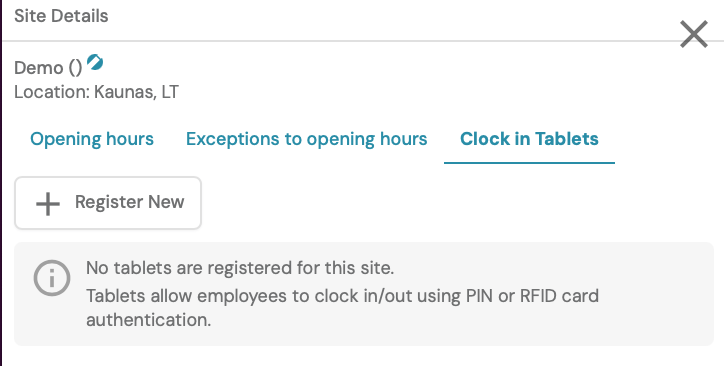
In the Clock inTablets section, select Register new.
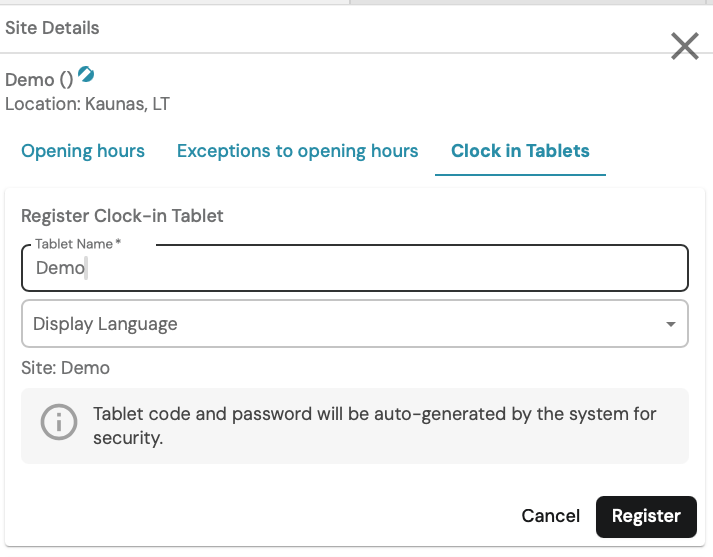
Create a name and select a display language, this is the language in which information will be displayed to employees who will use the tablet. Once everything is entered, click Register.
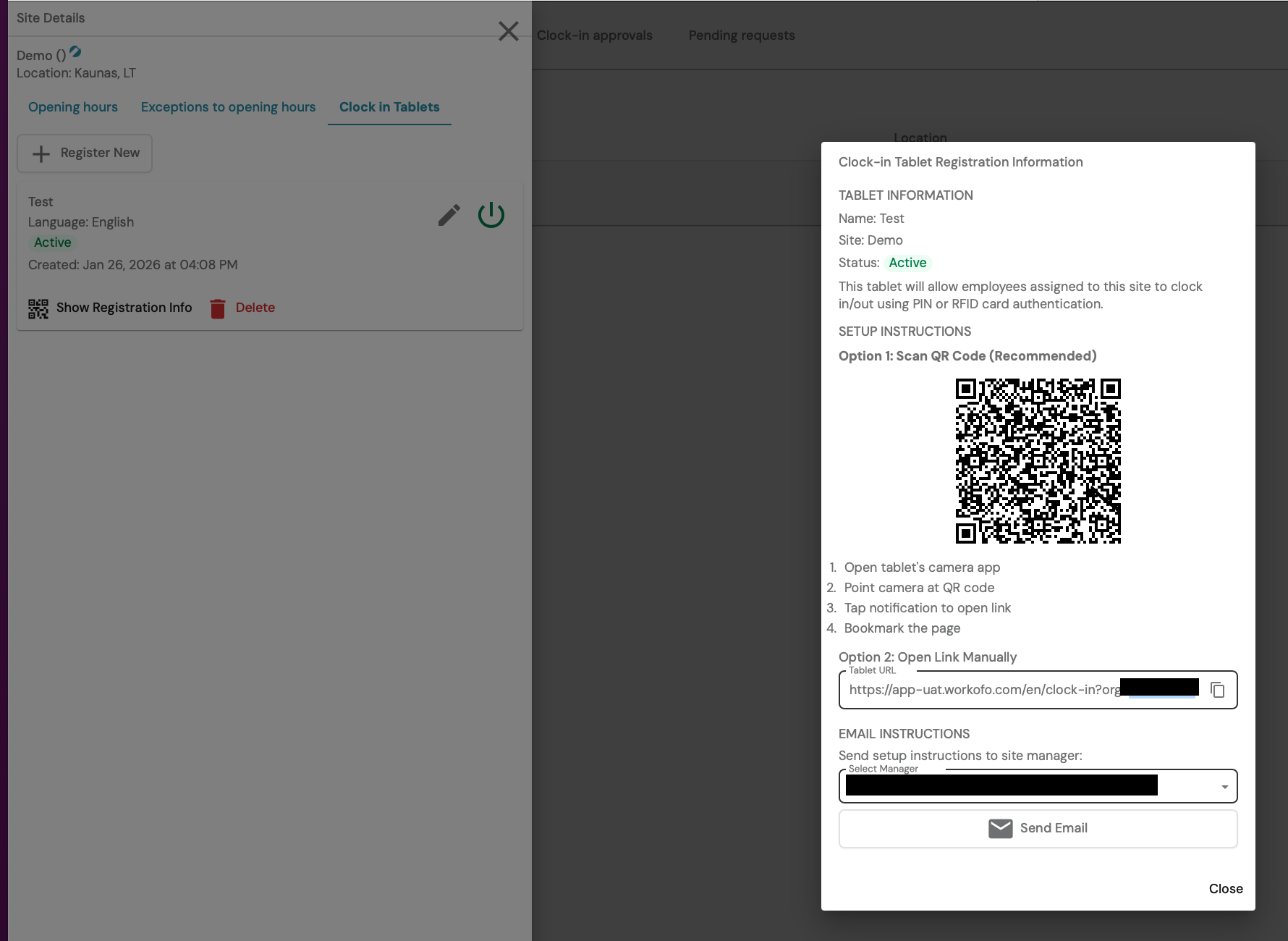
Follow the instructions that appear and scan the QR code with the tablet you want to use the functionality with.
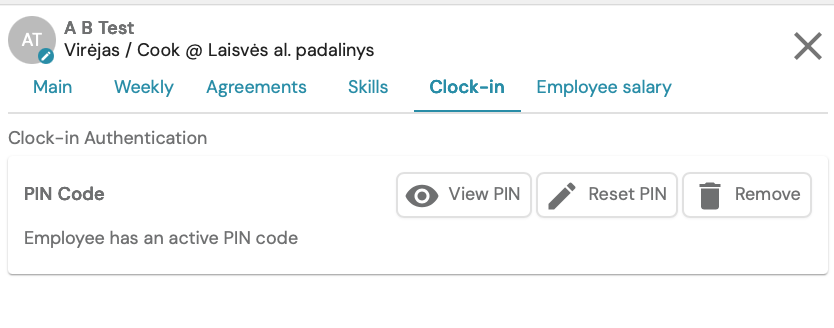
Each employee needs to have their own unique PIN code to log in to the tablet.
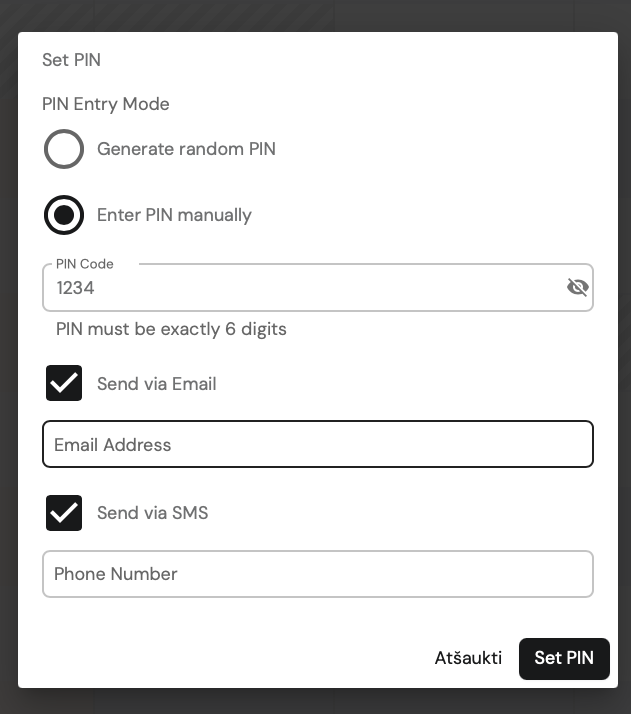
You can create your own code or choose to have the system generate a random one. (The length of the code is determined by agreement with the client). Also choose how you would like to inform the employee about the created PIN code - by email and/or SMS message.
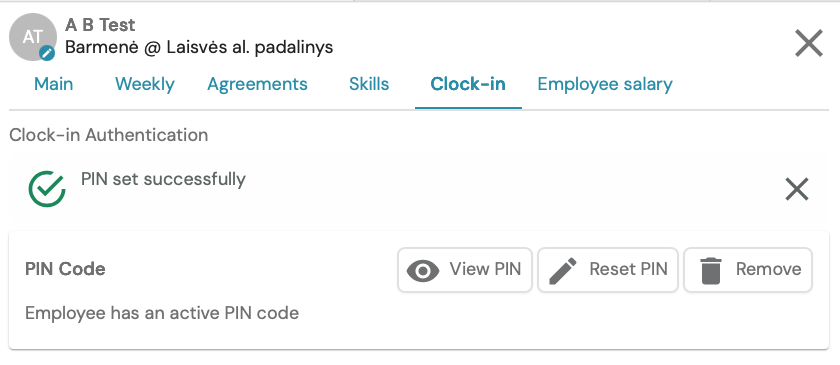
After setting the PIN, a green checkmark will indicate that the action has been successfully completed.
The Clock - in approvals menu item shows shift discrepancies, i.e. if an employee clocked in earlier/later. Then the manager must approve the shift so that it is assigned to the employee. Before approval, it is possible to adjust the start and end of the shift, which will be indicated in the payroll report and schedule. Also, select the reason why it differs from the original, planned shift. (The list of reasons is created according to the client's needs).

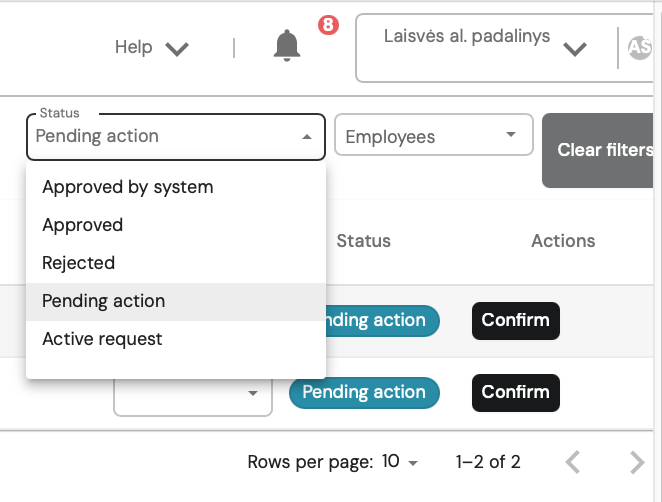
Working time discrepancies have a status, and can be filtered by Status or Employees.
For employees:
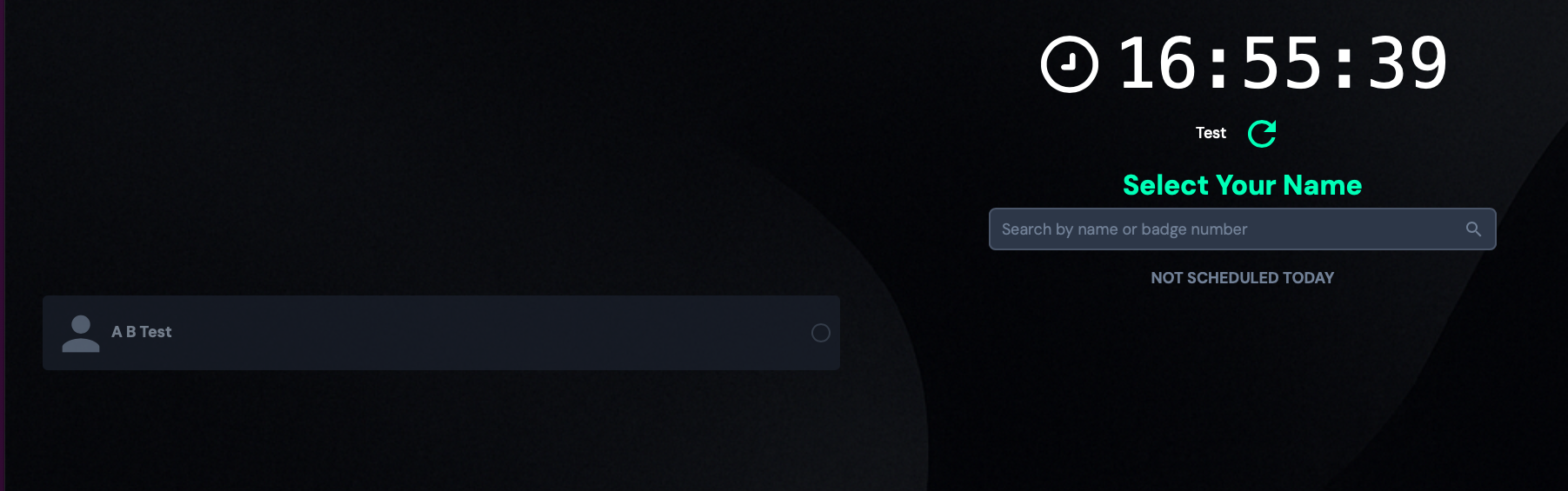
On a tablet that uses the functionality, select your name on the screen.
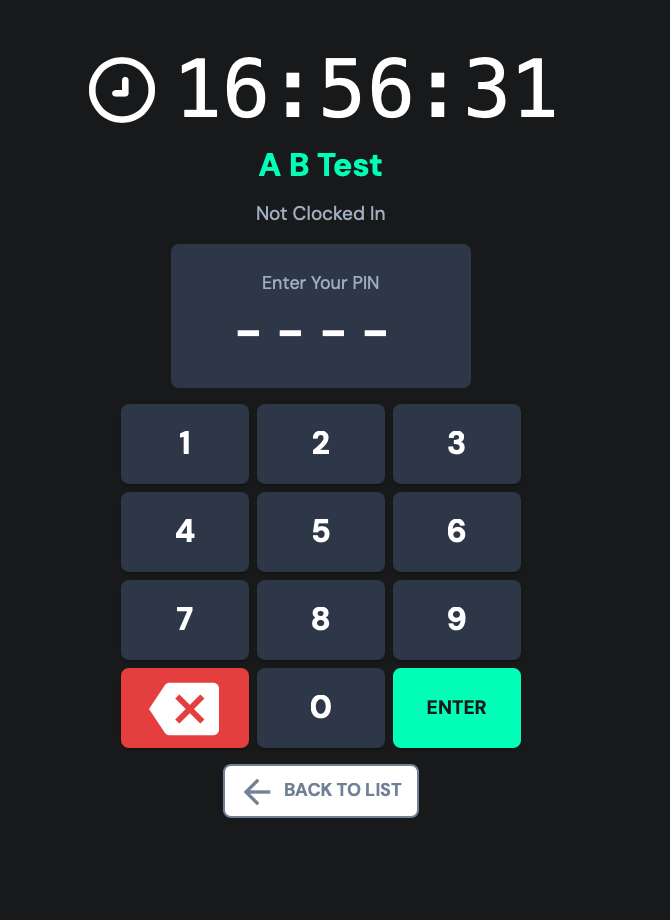
Enter the PIN code that the manager created and sent to you by email and/or SMS.
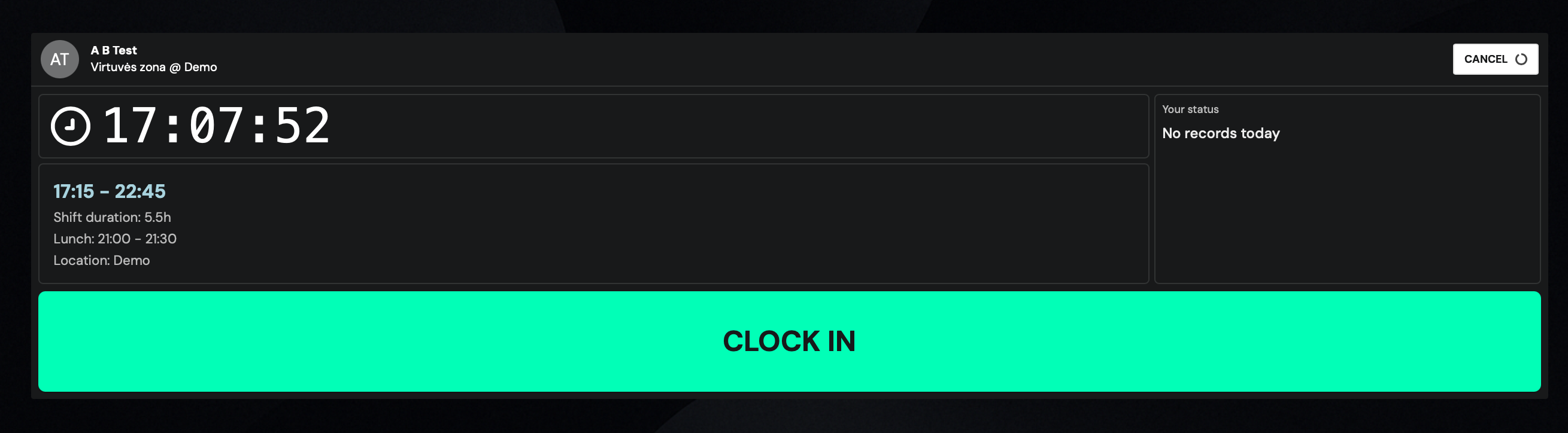
After entering your PIN, we will see the shift information you are working in today in the window. Click Clock In
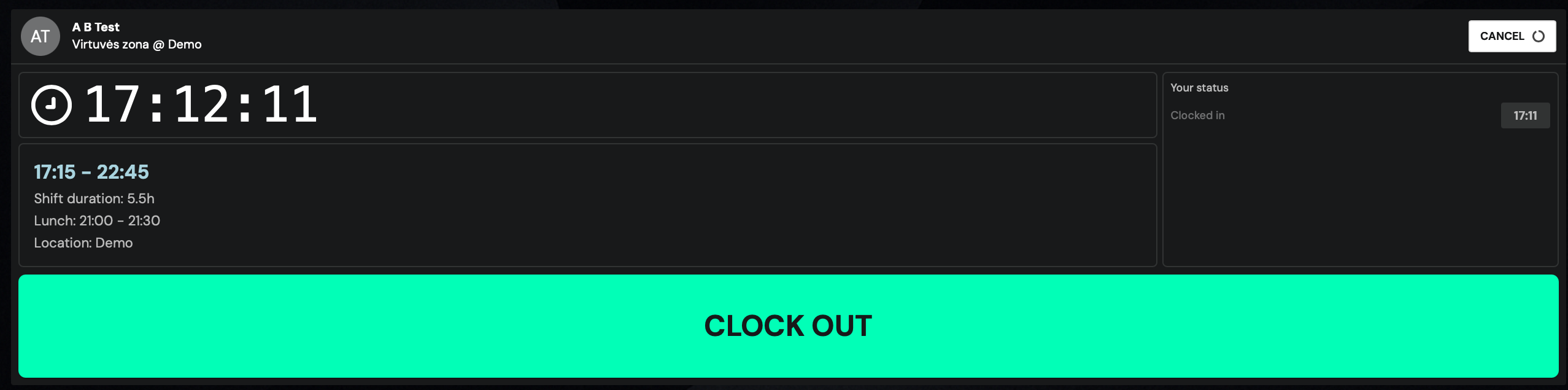
When leaving work, the sign-out procedure is the same as when checking in, select your name on the screen, enter your PIN code and press Clock out
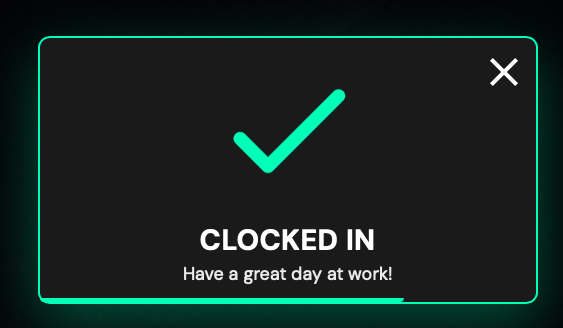
A message with a green checkmark will inform you of successful clock in/clock out.