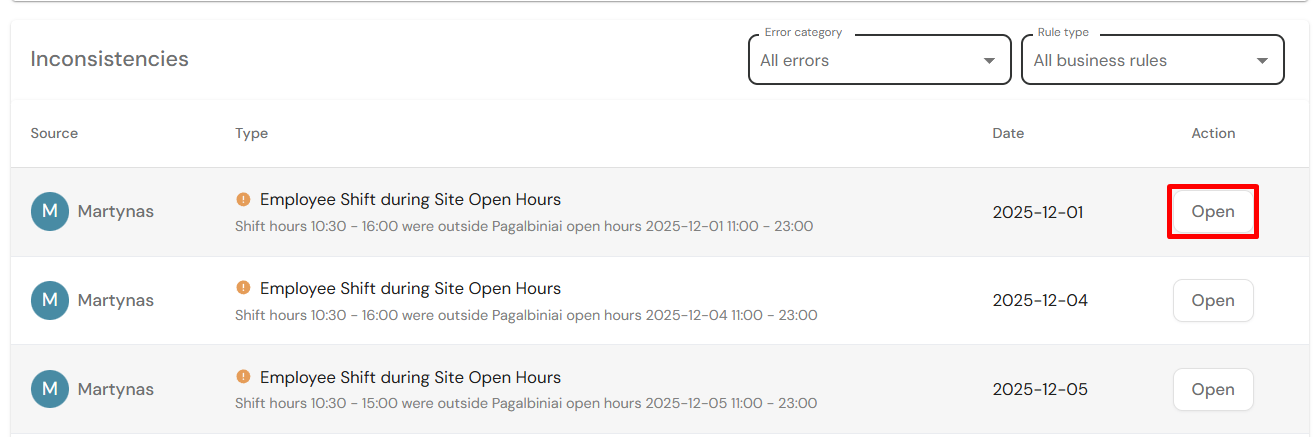
In the main system page, amongst other useful information, you can view all schedule inconsistencies, filter them and navigate to selected error.
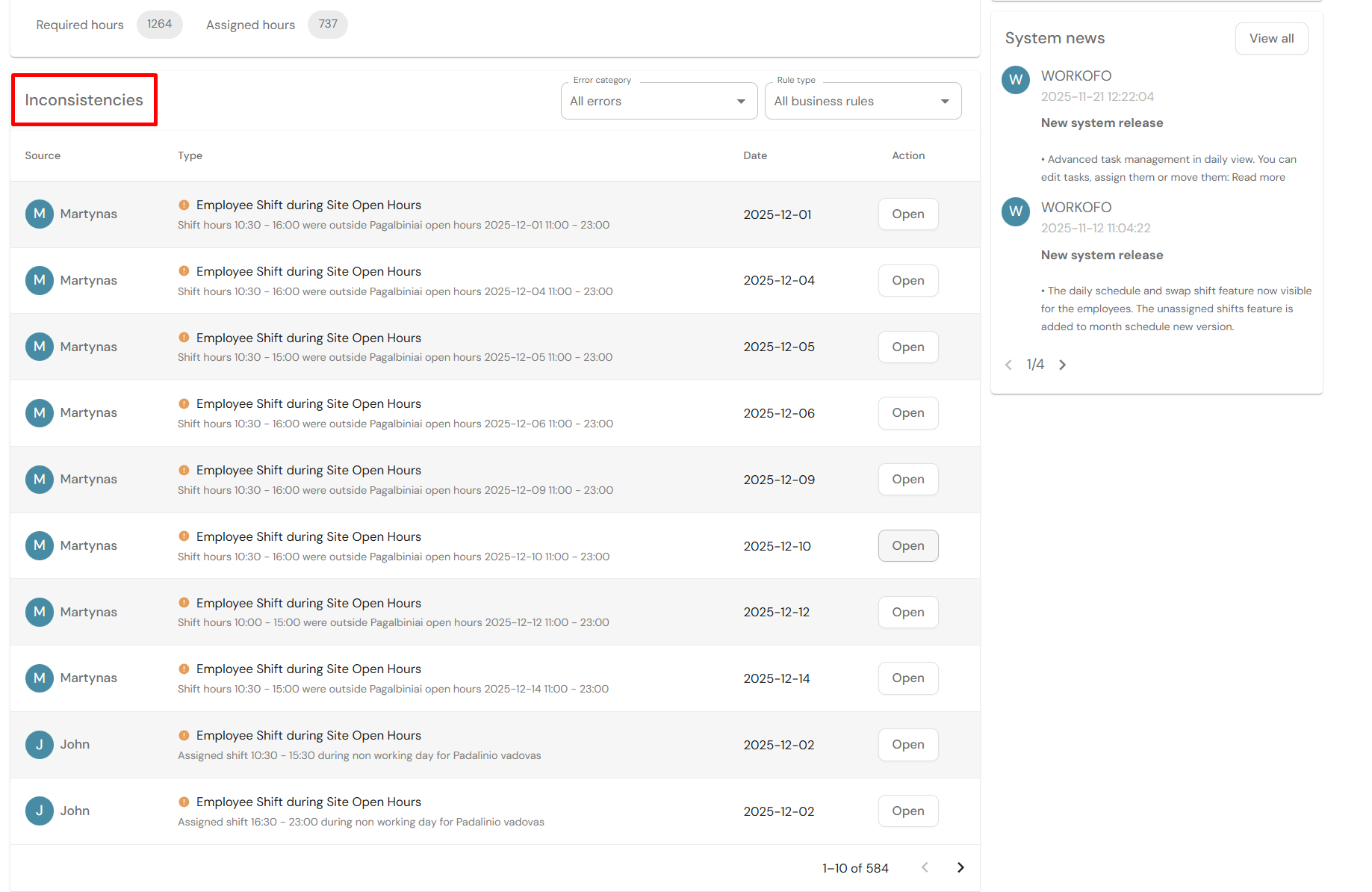
Filtering can be performed in two ways:
I - Filtering based on error category
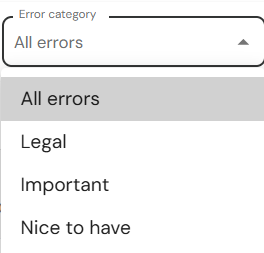
In the error category menu select the desired category:
- Legal - legal errors (labor law)
- Important - errors that show employee preferences or work agreement inconsistencies (e.g. required employee count in the workplace)
- Nice to have - A "nice to have" recommendation but does not classify as an error.
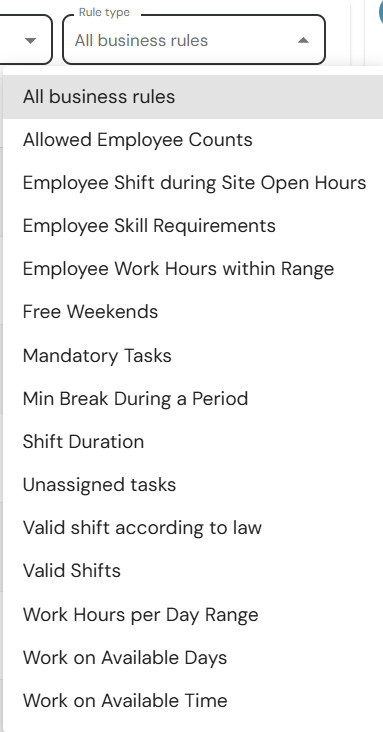
II - Based on business rule type
In the business rule menu select the desired category. The amount of business rules available for selection can be different based on present employee schedule planing errors.
Opening the error and viewing it in the schedule view
1.Select the error you desire to open and click on Open
2. A schedule view with a pre-selected employee name filter will open
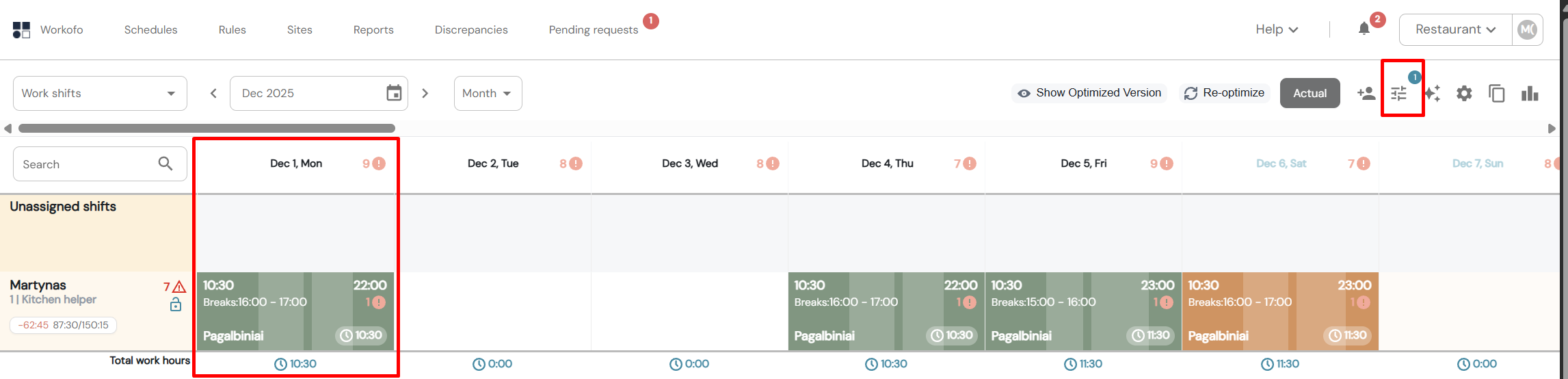
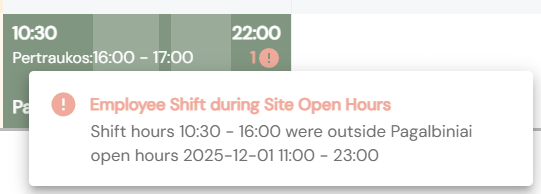
3. Clicking on the exclamation point icon will show you detailed information about the error.